Blog

  • Best AI Video Generators in 2026: What Directors Actually Use

    Best AI Video Generators in 2026: What Directors Actually Use

    Description

    The best AI video generators in 2026 are not one tool. This guide ranks Kling, Sora, Veo, Seedance, Runway, and Luma for filmmakers, then shows how to pick a stack and ship a short that holds together.

    Best AI Video Generators in 2026: What Directors Actually Use

    The “best AI video generator” question is a trap. In 2026 you do not pick one model and retire. You pick a stack. One engine owns physics. Another owns camera grammar. A third holds a face across five cuts. The directors who look expensive treat generators like lenses, not like a studio in a box.

    This roundup is for people who want cinematic shorts, not talking-head slideshows. If you hunt for the best AI video generators in 2026, start with job, not brand.

    TLDR

    • There is no single winner. Match the model to the shot.
    • Curious Refuge’s 2026 review scored Seedance 2.0 highest on output (8.4/10) and called Kling 3.0 the best overall experience (8.1/10).
    • Zapier treats Google Veo 3.1 as the all-arounder for prompt and image-reference adherence.
    • Kling still wins many action and fabric shots. Sora still wins hero cinematic sequences. Runway still wins when you need motion brushes and paced camera.
    • After you generate, you still edit, grade, and mix. Then you need a place the work lives.

    What is the best AI video generator in 2026?

    The honest answer: the one that fails least on the shot you need today.

    Curious Refuge tested current models on prompt adherence, temporal consistency, visual fidelity, motion, and cinematic realism. Their top ranks:

    1. Seedance 2.0, 8.4/10. Strong physics, multi-shot scenes, native lip sync and audio. Backgrounds can look plasticky.
    2. Kling 3.0, 8.1/10. Cinematic motion and lens behavior. Pricey. Overloaded prompts can drop adherence to protect consistency.
    3. Luma Ray 3.2, 7.7/10. Skin, emotion, and character hold. Occasional artifacts.
    4. Hailuo 2.3 (MiniMax), 7.5/10. Subject reference for character lock. Anatomy and logic still break on busy motion.
    5. Veo 3.1, 7.2/10. Clean interface, image “ingredients.” Motion can feel floaty. Text and complex emotion are weak.
    6. Runway 4.5, 6.2/10 in that test. Strong character lock, weak object permanence and cost-to-quality.

    Zapier’s 2026 roundup still puts Veo 3.1 first as an all-arounder. Reddit filmmakers in 2026 split the same way: Sora 2 for hero shots, Kling for affordable cinematic motion, aggregators like OpenArt when you want to A/B models in one tab.

    If you make films, ignore “overall best.” Assign roles.

    Which AI video generator is best for filmmakers?

    Filmmakers need four things the marketing pages skip:

    • Character lock across coverage, not one pretty clip
    • Physics that sell weight: cloth, hair, impact, footsteps
    • Camera grammar you can call: push-in, whip pan, locked tripod, Dutch
    • Editability: clean in/out points so you cut on action instead of dissolving between glitches

    Kling: action, fabric, faces in motion

    Kling remains the workhorse for physical interaction. If a jacket has to swing and a face has to survive a turn, start here. Keep wardrobe high-contrast so the model has an anchor. When you dump a paragraph of camera notes into one prompt, Kling will protect motion and dump your extras. Split the shot.

    Sora: hero cinematic sequences

    Sora (including Sora 2 in 2026 tests) still owns the “this looks like a trailer” shot: scale, atmosphere, the wide that makes people stop scrolling. Use it for establishers and climaxes. Do not build an entire short inside one Sora session unless you like fighting continuity.

    Veo 3.1: reference-led realism

    Veo 3.1 is the tool you open when you have stills you trust. Feed ingredients. Stay close to the board. Use Fast for boards, Quality for finals. Watch for floaty gravity and mushy emotional close-ups.

    Seedance 2.0: multi-shot and native audio

    If you storyboard in sequences instead of isolated 5-second clips, Seedance 2.0 is the 2026 surprise. Multi-shot generation plus native lip sync changes the assembly. Still grade it. Still replace the score if the native audio is generic.

    Runway: control, not raw beauty

    Runway’s camera tools still matter when you refuse random pans. Motion brushes, directional control, paced moves. In Curious Refuge’s scoring it lagged on realism. Directors who already think in coverage still keep a Runway seat for the shots that must obey a move.

    Luma Ray: faces and skin

    Ray 3.2 is the close-up specialist. Emotions and skin texture hold better than most. Pair it with Kling for the wide-to-medium, then cut to Luma for the eyes.

    Is there a free AI video generator worth using in 2026?

    Free tiers exist so you can fail cheap. They are not a production pipeline.

    Curious Refuge notes most of the tools above give at least one free generation. That is enough to learn prompt shape and to see whether a model respects your character sheet. It is not enough to finish a 90-second short with consistent coverage.

    If budget is tight:

    • Board on a cheaper/faster model (Veo Fast, Hailuo, open models like Wan)
    • Spend paid credits only on hero shots and character lock
    • Do sound and grade in Resolve. That is still where films become films.

    Open models (Wan 2.7, LTX) are real options if you run local or cheap inference. They trail the closed leaders on physics and consistency. Fine if you accept cleanup.

    Can you use more than one AI video generator in one film?

    Yes. You should.

    Winning shorts in 2026 almost never come from one tab. A typical director stack:

    Job Tool
    Character stills / turnaround Midjourney, Flux, or your locked sheet
    Action and fabric Kling
    Hero wide / atmosphere Sora or Veo
    Controlled camera Runway
    Emotional CU Luma Ray
    Multi-shot + temp audio Seedance
    Conform, grade, mix DaVinci Resolve

    Mute native generator audio unless you designed for it. Layer Foley, room tone, and a score that hits cuts. Color grade so Kling and Veo look like the same world.

    If you want pressure on that stack, enter a timed round in the Kodex1 Coliseum. A 48-hour prompt plus public votes will tell you whether your cuts hold or your generator cocktail is just a mood board.

    How do you choose among the best AI video generators in 2026?

    Ask four questions before you buy a plan:

    1. What is the shot? Physics, face, wide, or camera move.
    2. Do you have references? Veo and Hailuo reward stills. Kling rewards a locked wardrobe.
    3. What is the credit cost of a failed take? Expensive models punish exploration. Board cheap, finish expensive.
    4. Where does the film live after export? Generators do not give you an audience, a portfolio, or a prize.

    Kodex1 does not generate your pixels. You already have Kling, Sora, Runway, Veo. What you lack is a permanent studio and an arena. Build a director page so the work does not die in Discord. If you sell or take commissions, the Earn path is the honest next step after the export.

    A practical 2026 workflow

    1. Write a short that a model can survive: one or two characters, high-concept space, no crowd brawls.
    2. Lock a character bible (6-10 stills, same light, same clothes).
    3. Generate coverage, not beauty shots: wide, medium, close, cutaway.
    4. Cut on action before the glitch. Hard cuts, not dissolves.
    5. Mix like a film. Grade like one world.
    6. Publish where directors and viewers actually look.

    Ninety seconds beats five minutes of generative fatigue. Festival jurors and Coliseum voters both punish rubber limbs and drifting faces.

    Conclusion

    The best AI video generators in 2026 are a kit: Seedance and Kling for motion and sequence, Sora and Veo for scale and reference, Runway for camera you can aim, Luma for the close-up that has to feel human. Rankings from Curious Refuge and Zapier help you spend. They do not finish the film.

    Generate. Direct the cut. Then put the short where it can compete.

    Start on kodex1.com. Watch. Vote. Drop your own work in the Coliseum. 3 days free. No card. Then $5/mo. Cancel anytime.

  • How to Win an AI Film Competition: The Complete Director’s Playbook

    How to Win an AI Film Competition: The Complete Director’s Playbook

    Most submissions to an AI film competition fail in the first ten seconds. The opening shot reveals a melting hand, a character whose face shifts between cuts, or a generic slow-motion drone glide over an imaginary cyberpunk city. The audio is an unmixed stock track that drowns out flat synthetic narration.

    Judges screen hundreds of submissions over a single weekend. They do not grade on the raw novelty of prompting a diffusion model. By 2026, anyone can type an ambitious prompt into Kling, Runway, or Sora and spit out five seconds of 4K spectacle. Visual ambition without story structure is white noise.

    To win an AI film competition, you have to direct the machine instead of letting the machine direct you. Winning films demonstrate narrative coherence, strict continuity, intentional camera grammar, and professional sound design. Here is the exact playbook to move your project from the submission pile to the awards podium.

    What do judges actually look for in an AI film competition?

    Judges evaluate four core pillars when scoring entries:

    1. Story and emotional resonance (40%): Does the short have a clear dramatic arc? Is there a protagonist with a concrete goal and real stakes? A ninety-second short that makes the audience feel tension or grief beats a three-minute tech demo every time.
    2. Character and visual continuity (25%): Can you hold the same character across three distinct angles and lighting setups? If your lead actor swaps bone structure between shots, you lose points immediately.
    3. Cinematic intent and camera grammar (20%): Did you pick camera moves that serve the emotion of the scene, or did you accept whatever random panning motion the generative model gave you? Every pan, push, and Dutch angle must feel deliberate.
    4. Sound design and audio mixing (15%): Bad audio ruins good video. Festivals demand dedicated Foley, ambient room tone, balanced dialogue, and custom scoring that hits cut points cleanly.

    If you want to test how your work holds up under pressure before submitting to a major festival, enter the Kodex1 Coliseum. Coliseum rounds pit creators against timed prompts and live community voting, giving you immediate feedback on what grips an audience.

    How long should an AI competition film be?

    Keep your film between 60 and 120 seconds. Unless a festival brief specifically demands a longer piece, tighter is always better.

    Festival jurors spend long hours reviewing submissions. A tight, punchy 90-second film maintains pacing and hides the micro-artifacts inherent to generative models. When you stretch an AI short past three minutes without a massive budget and full VFX cleanup, generative fatigue sets in. The audience starts noticing rubbery limbs, drifting eye lines, and unnatural background motion. Pack your story into two minutes max.

    Can you use multiple AI tools in one film?

    Yes. Winning directors never rely on a single generative model. They build a multi-tool pipeline that plays to each platform’s strengths:

    • Character generation and base keyframes: Midjourney v6, Flux.1, or Stable Diffusion for consistent character turnarounds and lighting reference sheets.
    • Action and complex physics: Kling 1.5/2.0 for heavy physical interaction, fabric dynamics, and reliable facial retention during movement.
    • Camera control and stylized VFX: Runway Gen-3 Alpha for precise camera motion brushes, directional pans, and controlled pacing.
    • Environment and cinematic scale: Google Veo or Luma Dream Machine for architectural wide shots and atmospheric establishers.
    • Post-production conform: DaVinci Resolve or Adobe Premiere for edit assembly, color grading, speed ramps, and frame interpolation.
    • Audio and voice synthesis: ElevenLabs for voice acting, paired with sound design tools and manual DAW mixing.

    Judges respect a clear production breakdown. Disclose your stack openly in your project notes. Demonstrating that you directed four different engines into one cohesive visual style proves you are a director, not a prompt passenger.

    The 6-step workflow to win an AI film competition

    1. Write for generative constraints

    Do not write an action scene requiring ten characters wrestling in a crowded market unless you want to spend three weeks rotoscoping. Write scripts that leverage what generative models do well:

    • Solo protagonists or two-hander dialogues.
    • Atmospheric, high-concept environments (sci-fi ruins, isolated research outposts, surreal historical settings).
    • Visual metaphors where slight physical uncanny valley adds psychological weight rather than breaking immersion.

    2. Lock your character bible before generating video

    Create a master character sheet with 6 to 10 distinct angles, neutral expressions, and consistent lighting in your still image generator. Use these reference images as seed frames for image-to-video generation.

    When running generations in Kling or Runway, keep the character’s core wardrobe constant. High-contrast jackets, distinctive hats, or specific glasses help anchor viewer recognition even when the engine shifts subtle facial geometry.

    3. Direct the cut, not just the prompt

    Amateur entries string together ten unrelated beauty shots. A professional short relies on classic cinematic coverage:

    • Establishing shot: Sets geography and mood.
    • Medium shot: Introduces the character action.
    • Over-the-shoulder / Close-up: Establishes emotional stakes and eye contact.
    • Cutaway / Detail shot: Hides transitions and builds tension.

    If a generated clip glitches on second four, cut on second three. Use hard cuts on motion rather than cross-dissolves. Cross-fading between two AI clips screams amateur reel.

    4. Build a tactile soundscape

    Generative video has no weight until sound hits it. Mute all native audio outputs from video generators.

    Layer your sound in a proper timeline:
    1. Sub-bass and room tone: Low rumbles, air conditioner hums, wind pressure.
    2. Foley: Footsteps, cloth rustling, leather creaks, breathing.
    3. Diegetic sound: Mechanical clicks, rain hitting glass, engines idling.
    4. Score: Subtle melodies that avoid drowning out narrative dialogue.

    5. Color grade to unify multiple models

    If shot one came from Kling and shot two came from Runway, the color science and black levels will clash. Bring your complete sequence into DaVinci Resolve or Premiere. Apply a unified film emulation LUT, balance your shadows, and add a fine 35mm film grain overlay across the entire timeline. Grain acts as visual glue, binding disparate AI generations into one photographic world.

    6. Submit early and verify technical specs

    Never submit five minutes before the deadline. Export your master in ProRes 422 or pristine H.265/H.264 matching the competition’s exact aspect ratio (usually 16:9 or 2.39:1 anamorphic). Check your audio loudness levels: aim for -14 LUFS for web-streamed festivals and -24 LKFS for broadcast-spec screenings.

    Where to submit your AI film in 2026

    Once your short is polished, enter these key competitions:

    • Runway AI Film Festival (AIFF): High industry visibility, major cash prizes, and theatrical screenings in New York and Los Angeles.
    • Curious Refuge Competitions: Regular genre-specific challenges with substantial creative community engagement.
    • AI for Good Film Festival (Geneva / United Nations): Focuses on global challenges, ethics, and humanitarian storytelling.
    • Independent FilmFreeway AI categories: Traditional film festivals like Fantasia, Sitges, and regional festivals increasingly host dedicated generative short categories.

    Build a permanent home for your winning work

    Winning an award or landing a finalist spot gives you a temporary spike in visibility. But social media feeds bury your achievement within 48 hours. A Discord link or a tweet does not build a career.

    Professional creators need a permanent studio where scouts, producers, and brands can review their full catalog. Set up your channel on Kodex1 Directors. Kodex1 gives AI filmmakers dedicated studio portfolios with custom URLs, verified badges, and direct client commission tools.

    When you have a body of work ready for monetization, check Kodex1 Earn to see how directors sell licenses, monetize film tickets, and take on paid commercial briefs.

    Ready to test your skills?

    Stop waiting for the next annual festival deadline. Sharpen your storytelling instincts, master rapid turnaround briefs, and compete for cash right now. Head over to Kodex1 and take your place in the arena.

  • Best AI Video Tools for Filmmakers in 2026

    Best AI Video Tools for Filmmakers in 2026

    Description

    The best AI video tools for filmmakers in 2026 are a stack, not a single app: generators for shots, editors for cuts, sound for weight, and a studio URL for the finished film. This guide maps Kling, Runway, Veo, Luma, Adobe, and where the work actually lives.

    Best AI Video Tools for Filmmakers in 2026

    Pretty frames are cheap. A film still costs taste. The best AI video tools for filmmakers in 2026 are the ones that survive a shot list, a character lock, and a finish line, not the ones that win a Discord screenshot.

    This is a director's map, not a vendor dump. Generators make clips. Editors make movies. Sound sells the cut. A permanent studio is what turns the pile into a body of work.

    TLDR

    • Treat tools as a pipeline: pre-vis, generate, edit, grade, publish.
    • Kling and Runway still dominate serious shot work; Veo and Luma fill specific jobs.
    • Adobe remains the post home for most festival crews (Adobe's 2026 Sundance note).
    • Character lock, camera intent, and a finished runtime beat another 6-second loop.
    • Host the films on a studio URL. Feeds bury last week's banger.

    What counts as an AI video tool for filmmakers?

    StudioBinder's 2026 roundup splits the craft into pre-production, production, and post. That split is useful. A storyboard generator is not a camera. A lip-sync plugin is not a director.

    For generative cinema, the stack looks like this:

    1. Image and look tools for stills, boards, and character sheets.
    2. Video generators (Kling, Runway, Veo, Luma, and peers) for the actual shots.
    3. Edit and grade (Premiere, DaVinci, Resolve-style AI assists, Firefly in Adobe).
    4. Audio for dialogue, score, and Foley so the clip stops sounding like a demo.
    5. Distribution so a scout can watch the film next month, not only tonight.

    Kodex1 does not generate your pixels. You bring films you already made. The platform is the archive, the Coliseum for timed briefs, and a director studio when you want a hire button next to the work.

    Which generator should you actually shoot with?

    Kling: physics, faces, longer motion

    Kling still wins when bodies hit rain, fabric, and doors. Element tracking holds a face across lighting shifts better than most text-only models. Directors who cut action or character drama start here.

    Use Kling when the shot has weight: a sprint, a pour, a punch, a coat that should hang like cloth.

    Runway: camera grammar and polish

    Runway remains the control freak's tool. Axis sliders, motion brush, reference sheets. When you need a slow push down a corridor that feels like a lens, not a lottery, Runway is the safer bet.

    Use Runway for ads, VFX inserts, and any shot where the camera move is the performance.

    Veo and Luma: specific jobs, not a religion

    Veo often lands photoreal lighting and "I almost believe the location" stills. Luma still earns a seat for smooth camera paths and dreamy motion. Neither replaces a full pipeline. They fill holes.

    Reddit comparisons through late 2025 and 2026 keep repeating the same line: the problem is control, not ideas. Pick the model that obeys the shot, then move on. See community tests such as this model roundup thread.

    Higgsfield, Pika, PixVerse, and the rest

    These show up in every "top 10" list because they ship fast clips. Fine for social hooks. Weak as a sole camera for a 90-second short. If a tool cannot hold a protagonist for three setups, it is a texture generator, not a film camera.

    What about pre-production and post?

    Filmmakers still need boards, breakdowns, and a cut.

    StudioBinder is honest about this: Midjourney or Flux can spit a lighting test. A storyboard needs sequence, annotations, and a link to the shot list. ChatGPT can tag cast in a script. It will miss the lighting package you never typed.

    On the other side of the camera, Adobe is still where festival crews land. Adobe said in January 2026 that 85% of Sundance filmmakers use Adobe tools in some capacity, while it pushed new AI video work and creator grants (source). That is post and finishing culture, not a claim that Firefly replaced Kling.

    Hybrid is the adult workflow: generate in the model that holds the shot, conform in an NLE, grade like a film, mix sound like you mean it.

    How do you pick tools without wasting credits?

    Ask four questions before you buy another plan:

    1. Does it lock a character across three locations?
    2. Can you name the camera move after the render, or did the model invent it?
    3. What is the usable runtime before it melts?
    4. Where does the finished file live after the feed moves on?

    If you cannot answer #4, you do not have a filmmaking stack. You have a hobby.

    A practical starter kit for 2026:

    • One primary generator (Kling or Runway)
    • One backup model for the shots the primary fails
    • Still tools for sheets and boards
    • An NLE you already know
    • A public studio URL with named titles, runtimes, and tools listed

    Then stop collecting apps.

    How do you prove you directed the machine?

    Clients and festivals do not hire "I typed a prompt." They hire finish.

    Put one complete short first. 60 to 90 seconds with a beginning, a middle, and an ending. Caption the camera. Disclose the models. Cut the melted-hand week-one experiments.

    Timed briefs help. A 15-20 second commercial with a product and a logo lockup proves you can take a constraint. That is what Kodex1 Coliseum battles are for: a prompt, a clock, a public vote. Wins belong on the reel. Honest losses can too.

    If you want paid views or commissions, the same films need a hire path. Director studios exist so a scout hits one URL instead of a Drive folder. Earn is the money side once the work is actually watchable.

    People also ask

    What is the best AI video tool for cinematic video?

    There is no single winner. Kling for physical action and face lock. Runway for camera control. Veo when you need photoreal light. Your NLE for the film. Rank the job, then the model.

    Can AI replace a video editor?

    No. Tools speed mechanical chores: silence cuts, transcripts, rough color. Taste still lives in the cut. If the AI does every decision, the movie feels empty. StudioBinder makes the same point on the planning side: speed is not vision.

    Do I need a paid plan?

    Yes, if you ship more than demos. Free tiers teach the UI. Credit plans buy iteration. Unlimited slow queues matter when you test 40 takes for one master shot. Budget the generator the way you used to budget a rental camera.

    Where should I publish AI films?

    Not only TikTok. Social is discovery. A studio page is the archive. Name the film. List runtime and tools. Link a watch URL that will still work in six months.

    Is Sora still part of the stack?

    Treat Sora as unstable infrastructure in 2026 roundups. Some comparison pages already flag product churn. Build on tools you can still log into next quarter. Always confirm the current product page before you lock a series bible to one vendor.

    A stack that actually ships

    Here is a week that works:

    Day 1. Write a 90-second short. Ten shots. One protagonist. One location rule.

    Day 2. Build a character sheet. Generate stills. Kill the ones that morph.

    Day 3-4. Render in Kling or Runway. Keep only shots you can defend.

    Day 5. Edit, grade, mix. First 30 seconds must hook without a caption.

    Day 6. Upload to a permanent studio. Title, runtime, tools, logline.

    Day 7. Enter a public brief or send the URL to one person who can hire you.

    That last day is where most AI "filmmakers" quit. They chase models. They never ship a film.

    Conclusion

    The best AI video tools for filmmakers in 2026 are a small, stubborn stack: a generator that holds faces, a camera-aware second model, a real editor, and a URL that does not rot. Everything else is noise.

    Bring the pixels. Put them where people can watch them. Start at kodex1.com.

  • How to Build an AI Director Portfolio in 2026

    How to Build an AI Director Portfolio in 2026

    An AI director portfolio is not a dump of pretty clips. It is proof you can hold a story, a face, a camera, and a finish line. Discord threads vanish. X timelines bury last week's banger. Clients, festivals, and collaborators want a permanent studio they can actually watch.

    This guide shows what belongs in an AI director portfolio, what to cut, and how to present work so it reads as direction, not a lucky prompt.

    Meta description: Build an AI director portfolio that proves story, character lock, and finish. What to include, what to skip, and where to host it in 2026.

    What an AI director portfolio actually is

    A traditional film portfolio lists credits, roles, and festival runs. An AI director portfolio still needs that spine. It also has to answer three questions a live-action reel never had to:

    1. Can you keep a character consistent across shots?
    2. Do you control camera and pacing, or do you roll dice until something looks expensive?
    3. Did you finish a piece people can sit through, or did you stop at a 6-second hook?

    John Burnett's guide on AI art portfolios makes the same point for stills: show campaigns with follow-through, advanced technique, and story. Video raises the bar. Motion physics, lip-sync, cut rhythm, and sound all expose sloppy direction.

    You are not a prompt operator. You are the person who picks the shot list, kills the weak takes, and ships a film.

    Why Discord and a Google Drive folder fail

    Talent scouts and brands do not hunt through your DMs. They click one URL. If that URL is a chaotic Drive, a private Discord, or a TikTok grid mixed with memes, they bounce.

    A real AI director portfolio needs:

    • A public URL that does not rot
    • Named films or episodes, not untitled exports
    • Runtime, tools used, and your role (director, not "AI")
    • A handful of finished pieces, not 80 near-misses

    Film schools still treat portfolios as a written record of projects, dates, and roles. USC's production application even asks for a creative portfolio list with concise descriptions and links. That format still works. Drop the school essay. Keep the inventory: title, date, runtime, role, tools, link.

    Note: some traditional programs ban AI in admissions work. That is their house rule. Dedicated AI festivals and commercial buyers do the opposite. They want disclosure and craft, not a secret.

    What to put in the reel (and what to leave out)

    Lead with one finished short

    Open with 60 to 90 seconds of your strongest complete film, not a montage of random beauty shots. A complete film proves you can cut, hold tension, and land an ending. A montage proves you can generate pretty frames.

    If you sell Cinema-style work, the first 30 seconds should be free to watch. Then the full piece sits behind a pay link or a studio page. That is how serious generative cinema already behaves.

    Prove character lock

    Pick one protagonist. Show three shots in different light and locations. If the face, costume, and silhouette hold, you belong in the conversation. If they morph, you still have homework.

    Kling-style element tracking and Runway-style reference sheets are the current tools. The portfolio should show the result, not a tutorial.

    Show camera, not just subject

    A slow push down a corridor, a whip pan into a reveal, a locked-off two-shot that actually holds eyelines. Write the camera in the caption: 35mm, handheld, drone pull-back. If you cannot name the move, the model chose it for you.

    Include one commercial or brief

    Brand work proves you can take a constraint. A 15-20 second spot with a product, a logo lockup, and a clear CTA beats another moody sci-fi loop. Coliseum-style battle prompts on Kodex1 exist for this: a brief, a clock, a public vote. Wins belong on the portfolio. Losses can too, if the craft is honest.

    Cut the slop

    Leave out:

    • First-week experiments with melted hands
    • Duplicate generations of the same prompt
    • Work you cannot describe in one sentence
    • Pieces where you cannot name the model and the edit tools

    Volume is not a flex. Taste is.

    How to structure the page

    Think like a studio channel, not a mood board.

    Header: name, city or timezone, one-line pitch ("AI horror shorts and brand spots").

    Pinned film: the hero piece, autoplay muted, sound on click.

    Filmography: 5 to 12 titles. Each card: still, runtime, year, tools (Kling, Runway, Veo, Sora, whatever you actually used), one-sentence logline, watch link.

    Process, short: one case study. Problem, shot list, what broke, what you fixed. Keep it under 300 words. Burnett is right that employers still want to see you solve problems, not only dump artifacts.

    Proof: festival selections, Coliseum placements, paid commissions. Link the source.

    Hire / watch: one button. Either directors for commissions, or Cinema for paid views. Do not mix "join my Discord" with money CTAs.

    Kodex1 Director Studios are built for this exact stack: upload original AI videos (20+ seconds, your own work), get a permanent channel, then sell downloads or take Hire jobs. The platform does not generate the films for you. You bring the pixels. The studio is the archive.

    Festivals, schools, and the honesty problem

    Dedicated AI festivals want AI in the process. The ITU AI for Good Film Festival asks for AI as a core part of filmmaking, not necessarily 100% generated, plus original storytelling. Traditional festivals and some schools still treat generative work as plagiarism. Read the rules before you submit.

    For the portfolio itself:

    • Label tools on every piece
    • Never claim live-action when it is generated
    • Keep source stills and prompt notes offline unless a client asks
    • Do not hide the human cut. Edit is direction.

    Reddit festival threads still sneer at "slop renders." They are not wrong about the flood. A tight portfolio is how you separate from it.

    How to monetize the same page

    A portfolio that only asks for likes is a hobby site. Three clean money paths:

    1. Pay-per-film. $2 a title, first 30 seconds free.
    2. Subscription. $5/month for a slate (Cinema-style).
    3. Hire. Length tiers, escrow, revisions. Directors set rates.

    Kodex1's Earn path and Director Studio Hire button sit on top of work you already uploaded. You do not need a custom site, Stripe copy-paste, and a dead Linktree. You need enough finished pieces that a stranger can binge.

    If you still want a personal domain, point it at the studio URL. One source of truth.

    A 7-day build plan

    Day 1: Pick 3 finished films over 20 seconds. Kill everything else from the public page.

    Day 2: Write loglines and tool credits. Export clean stills.

    Day 3: Cut a 90-second hero reel from the strongest film only.

    Day 4: Publish the studio page. Test on mobile.

    Day 5: Add one brief-based spot or Coliseum entry.

    Day 6: Send the URL to five people who will be rude. Fix what they bounce on.

    Day 7: Put Hire or Cinema on the first screen. Stop tweaking thumbnails.

    Common questions

    Do I need a custom website?

    No. You need a stable URL, playback that works, and credits. A Director Studio or a simple filmography page beats a fancy site with broken embeds.

    How many films?

    Five strong pieces beat fifty drafts. Add new work when it is better than the weakest title on the page, then archive the weak one.

    Should I show prompts?

    Not on the public page. Prompts are recipe cards. Directors show the meal. Share process in a case study if a client asks how you locked a face.

    Can I mix tools?

    Yes. Tool-agnostic is the job. Kling for physics, Runway for camera polish, whatever holds the shot. Credit each film. Do not pretend one model did a composite you built in an editor.

    What about music and faces?

    Use licensed or generated audio you have rights to. Avoid real-person lookalikes unless you have clearance. Festivals and platforms will dump you for it.

    Ship the studio

    Generative cinema already has directors. Most of them still store their best work in a feed that forgets. Build the portfolio like a channel: named films, character lock, camera you can explain, a way to get paid.

    Claim the page on kodex1.com. Upload the work. Put the Coliseum wins next to the paid shorts. Then stop hiding in Discord.

  • Runway vs Kling: Which AI Video Generator Wins in 2026?

    Runway vs Kling: Which AI Video Generator Wins in 2026?

    Runway vs Kling: Which AI Video Generator Wins in 2026?

    Meta description: Runway Gen-3/Gen-4 vs Kling AI: a head-to-head breakdown of motion control, character consistency, pricing, and prompt adherence for generative filmmakers in 2026.


    Generative cinema moved past low-res physics glitches and uncanny morphing. In 2026, AI directors direct full narrative shorts, brand spots, and series with diffusion and autoregressive video models.

    Two platforms dominate serious production pipelines: Runway and Kling.

    Runway built its reputation as the industry standard for polished motion control, camera dynamics, and post-production toolsets. Kling broke into the market with raw motion realism, longer continuous generation clips, and aggressive prompt adherence.

    If you direct AI video in 2026, you cannot afford to pick tools based on Twitter hype. You need to know which model holds character consistency across 10 shots, which camera controls match physical film lenses, and where your render credits yield the highest cinematic output per dollar.

    Here is the definitive head-to-head comparison of Runway vs Kling for independent directors, studios, and AI creators.


    Quick Comparison: Runway vs Kling at a Glance

    Feature / Metric Runway (Gen-3 Alpha / Gen-4) Kling AI (v1.5 / v2.0)
    Primary Strength Cinematic camera control & post-production stack Motion realism, physics & prompt adherence
    Max Shot Length 5s – 10s extensions 5s – 10s base (up to 3-minute continuous extension)
    Character Consistency High (via custom reference models & Motion Brush) Very High (native element tracking & face lock)
    Camera Movement Precise axis sliders (Pan, Tilt, Zoom, Roll, Speed) Text-prompted & trajectory-based path movement
    Lip-Sync & Audio Integrated voice & lip-sync tools Native lip-sync & multi-language voice match
    Pricing Model Credit-based plans ($12 – $76+/month) Credit subscription & daily free tier options
    Best Used For Stylized ads, VFX, atmospheric camera movement Complex action scenes, liquid physics, character drama

    Deep Dive 1: Motion Realism and Physical Dynamics

    Generating a single striking frame is easy. Holding realistic motion physics across five seconds without rubber-banding or spatial tearing separates professional tools from toys.

    Runway: Cinematic Control and Frame Polish

    Runway excels at controlled, deliberate camera sweeps and atmospheric lighting. When you prompt a slow tracking shot through an abandoned neon sci-fi corridor, Runway renders volumetric light, fog, and lens flare with unmatched aesthetic polish.

    Its motion is smooth, predictable, and clean. However, when complex multi-subject interactions occur, such as two characters fighting or liquid pouring into a glass, Runway can sometimes smooth out the movement too aggressively, resulting in a slight "floaty" feel.

    Kling: Heavy Physics and Complex Action

    Kling handles aggressive motion physics with striking accuracy. Liquid dynamics, fire ignition, fabric weight, and fast-paced human acrobatics retain structural integrity better in Kling.

    If your script calls for a character sprinting through a rain-soaked alley, crashing through a wooden door, and skidding to a halt, Kling preserves body geometry and impact weight where other models collapse into surreal artifacts.

    Winner: Kling for raw action and physical interactions; Runway for pristine, controlled camera sweeps and atmospheric mood shots.


    Deep Dive 2: Character Consistency and Control Systems

    The biggest hurdle in AI film production is keeping the same character face, costume, and silhouette identical from Shot 1 to Shot 20.

    Runway's Control Suite

    Runway approaches consistency through modular control tools. You combine image prompts, Motion Brush, and Camera Control sliders to lock specific regions of a frame while animating background elements. Runway's asset reference feature allows directors to feed character sheets into the pipeline, making scene continuity far cleaner than standard text-prompting.

    Kling's Native Element Tracking

    Kling native element tracking allows directors to lock specific character features directly within the generation setup. You can upload multi-angle references of a character and prompt distinct actions across different environments without losing key facial proportions or signature outfits.

    When building a dedicated studio channel or permanent film portfolio, character continuity is mandatory. Platforms like Kodex1 allow directors to showcase multi-episode generative series where character lock is tested shot after shot. Showing continuous narrative control is what transforms raw prompts into an official director portfolio.

    Winner: Tie. Runway provides finer camera-axis manipulation, while Kling delivers higher character face-retention across drastic lighting shifts.


    Deep Dive 3: Generation Speed, Pricing, and Render Credits

    Render speed and credit efficiency determine how fast you can iterate on a shot list.

    • Runway Pricing: Operates on a tier system (Standard at $12/mo, Pro at $28/mo, Unlimited at $76/mo). The Unlimited plan gives directors a dedicated slow-queue generation mode, which is critical when testing 50 prompt variations to get one perfect master shot.
    • Kling Pricing: Offers flexible subscription tiers alongside daily login credits. Kling's high-tier plans provide rapid generation queues and high-definition upscale capabilities at lower cost-per-second ratios for heavy daily renders.

    For independent creators producing full short films, credit burn is a constant constraint. Many directors offset these generation costs by entering competitive prompt arenas. For example, The Coliseum on Kodex1 hosts regular generative video battles with cash prizes ($50–$150+), giving AI directors a venue to test their best Kling and Runway renders against other creators and earn real rewards for their best output.

    Winner: Runway for its Unlimited tier (peace of mind for heavy iteration); Kling for lower entry cost per high-res render second.


    People Also Ask: Top Questions Answered

    Is Runway better than Kling for AI movies?

    Neither tool is universally "better" because elite AI directors rarely use just one generator. Professional workflows combine both: Runway is typically used for opening atmosphere shots, establishing camera moves, and stylized color grades, while Kling is brought in for character dialogue, complex physical movements, and high-impact action sequences.

    Can you use Kling AI for free?

    Yes, Kling provides a daily free credit allocation upon login, allowing creators to test basic text-to-video and image-to-video prompts. However, serious filmmakers usually upgrade to paid tiers to remove watermarks, unlock camera control, access high-resolution upscaling, and prioritize render speeds during production.

    Which AI video generator produces the most realistic human movement?

    Kling currently holds an edge in realistic human weight, limb movement, and facial expressions during motion. Runway remains top-tier for facial close-ups and cinematic lighting, but Kling leads when characters interact with physical objects, perform complex sports, or execute choreography.

    How do filmmakers monetize AI videos made with Runway and Kling?

    Filmmakers monetize synthetic films by building verified studio channels, licensing footage to brands, securing commercial AI production briefs, and competing in cash-prize generative arenas. On Kodex1 Directors Studio, creators who upload original AI films can set custom client rates, receive direct commercial commission briefs, and sell downloads of their work.


    The Ultimate Pipeline: Why Elite AI Directors Use Both

    Trying to pick a single "winning" AI generator is the wrong approach to generative cinema in 2026. The most successful directors do not lock themselves into one tool—they build an integrated production pipeline:

    1. Concept & Storyboarding: Draft initial visual style and keyframes in Midjourney or Flux.
    2. Action & Character Renders: Feed keyframes into Kling for complex character motion, physics, and lip-synced dialogue.
    3. Establishing Shots & Camera Movement: Use Runway for sweeping landscape establishes, Motion Brush background separation, and camera axis moves.
    4. Edit & Audio Master: Assemble the cuts in Premiere Pro or DaVinci Resolve, add sound design, and finalize color grading.

    Once your film is cut and graded, the real challenge begins: distribution. Discord threads drown your work in seconds, and social media algorithms bury long-form cinema under short-form trends.


    Publish Your Generative Cinema on Kodex1

    Your generative films deserve a permanent home, not a disposable feed.

    Kodex1 is built specifically for AI directors who create narrative shorts, series, and high-concept cinema. On Kodex1, you can:

    • Build a Permanent Studio: Showcase your full body of work with an official OG Director Badge.
    • Get Hired for Custom Work: Enable the Kodex1 Directors Studio to take direct commercial commissions from clients and brands.
    • Compete in The Coliseum: Put your best Runway and Kling renders to the test in The Coliseum for cash prizes, community votes, and feature spots.

    Stop letting your best pixels disappear into chaotic chat feeds. Join the revolution of generative cinema today at kodex1.com.

  • AI Director Portfolio: How to Build One That Gets You Hired in 2026

    AI Director Portfolio: How to Build One That Gets You Hired in 2026

    AI Director Portfolio: How to Build One That Gets You Hired in 2026

    Meta description: An AI director portfolio is a permanent showcase of your generative films, process, and style. Here is what to include, where to host it, and how to turn it into paid work in 2026.


    Your best AI film dies in a Discord thread within 24 hours. The same clip gets buried on X by noon. Brands, festivals, and clients who would pay you never see it.

    That is the portfolio problem for generative cinema directors in 2026. You make the work. The feed erases the work. An AI director portfolio fixes that. It is a permanent home for your films, your process, and your name as a director, not as another anonymous prompt account.

    This guide covers what an AI director portfolio is, what to put in it, how it differs from a traditional film reel, where to host it, and how to turn it into commissions and paid briefs.


    What Is an AI Director Portfolio?

    An AI director portfolio is a curated collection of generative films and series you directed with AI video tools as the primary image-making stack. It proves three things at once:

    1. Taste. You pick shots that hold up as cinema, not random model output.
    2. Craft. You control character consistency, camera language, pacing, and sound.
    3. Identity. A client or festival can find you again after they watch one piece.

    It is not a dump of every generation you ever ran. It is not a Midjourney moodboard. It is a director page: finished pieces, clear credits, tool notes when useful, and a path to hire you.

    Traditional filmmakers build reels on Vimeo or personal sites. AI directors face a harder version of the same job. Social platforms treat AI video as disposable content. A real portfolio treats it as a body of work.

    John Burnett’s guide on AI art portfolios makes a related point for stills: employers can dabble in generators themselves. Your portfolio must show art direction, campaigns with follow-through, and storytelling they cannot fake in an afternoon. The same rule applies to video. Loose clips fail. Directed films win.


    Why Do AI Directors Need a Portfolio in 2026?

    Feeds erase your archive

    Kling, Runway, Luma, Veo, and Sora lowered the cost of a cinematic short. They did not solve distribution or reputation. A strong clip on Instagram still vanishes under the next trend. Without a stable URL for your best work, every outreach email starts from zero.

    Hiring now asks for an AI film portfolio

    Studios and agencies already treat AI film work as a hireable skill. Studio Tim Fu’s open call for AI filmmakers asked applicants to send a CV plus an AI film portfolio, not a generic reel of live-action only. That is the new bar: show the synthetic work on purpose, with your name on it.

    Commissions need proof, not vibes

    Brands that want a 15-second product spot or a short brand film will not scroll your Discord history. They open one link. If that link loads a clean set of finished films plus a hire path, you look like a director. If it loads a chaotic feed, you look like a hobbyist.

    Early body of work compounds

    The first serious generative cinema canon is still thin. Directors who lock a coherent style and publish it under one identity build recognition faster than directors who chase viral one-offs under changing handles.


    What Should an AI Director Portfolio Include?

    1. A short showreel (45-90 seconds)

    Open with your strongest 8-12 seconds. Cut only finished, graded shots. No raw model watermarks. No “AI demo” energy. Music and sound design matter as much as picture. End on a title card with your name and portfolio URL.

    Keep the reel under 90 seconds. Busy clients stop early. Put full films elsewhere on the page.

    2. 3-8 finished films or episodes

    Quality beats volume. Prefer complete shorts with a beginning, middle, and end over a grid of disconnected beauty shots. Series episodes count if each episode stands alone for a first-time viewer.

    For each piece, list:

    • Title and runtime
    • Role (writer/director/editor)
    • Year
    • Tools used at a high level (e.g. Kling + manual edit + original score)
    • One-line logline

    Skip dumping full prompt libraries unless process is the product you sell. Clients hire outcomes.

    3. Proof of direction, not just generation

    Show that you directed the machine. Useful signals:

    • Character consistency across shots
    • Repeated visual language (color, lens feel, lighting rules)
    • Story beats that land without a paragraph of explanation
    • Sound design and edit choices that feel intentional

    Burnett’s AI portfolio advice for stills maps cleanly here: show campaigns with follow-through, advanced technique (style and character lock), and better storytelling than “I typed a prompt.” See How to make an Ai Art Portfolio.

    4. A clear “about the director” block

    Two short paragraphs max. Who you are, what genres you own (horror, sci-fi, brand, music video), which tools you actually ship with, and what you want next (commissions, festivals, series). No corporate bio voice. Peers read this, not HR bots.

    5. Contact and hire path

    Email is baseline. Better: a hire or commission button with rate tiers or a short brief form. If you sell downloads of finished work, say so. If you take custom jobs with revisions, say so. Ambiguity kills conversions.

    6. Optional: competition and festival credits

    Coliseum wins, festival selections, featured spots, and paid brand challenges belong near the top. Social proof shortens the trust gap for cold traffic.


    How Is an AI Director Portfolio Different from a Traditional Film Reel?

    Traditional reel AI director portfolio
    Primary proof Camera, crew, locations Taste + model control + edit
    Risk clients fear “Can they finish on budget?” “Is this all one lucky prompt?”
    What to show Production scale and collaboration Consistency, authorship, finish quality
    Hosting pain Vimeo / personal site works Social feeds bury work; need permanent home
    Tool disclosure Camera list optional Tool stack often expected, kept brief

    You still need pacing, emotion, and clarity. The extra job is authorship. Viewers assume the model did the hard part until you prove otherwise with coherent films, not single pretty frames.


    Where Should You Host an AI Director Portfolio?

    Social-only (weak)

    Instagram, TikTok, and X are discovery layers. They are terrible archives. Handles change. Algorithms reset. No clean hire path. Use them to drive traffic to a stable page.

    Generic site builders

    Framer, Webflow, Cargo, and Adobe Portfolio work if you design for video first: fast playback, mobile-friendly embeds, minimal chrome. Cost: you maintain the site, hosting, and updates yourself. Many designers still land on Adobe Portfolio for simplicity (Reddit discussion on portfolio hosting in 2026).

    YouTube as a backup reel host

    YouTube is fine for long-form embeds and SEO on film titles. It is a weak personal brand home if your channel mixes tutorials, reactions, and films. Keep a dedicated playlist or a separate channel for finished work only.

    A native director platform

    The cleanest option for AI video is a platform built for generative directors: permanent studio page, uploads that do not expire with the feed, and paths to compete, earn, and get hired in one place.

    That is what Kodex1 Directors is for. Upload original AI films (serious work, not 3-second gimmicks), build a studio page, and unlock commission and sales tools once you meet the bar. You stay tool-agnostic: Kling, Runway, Luma, Veo, Sora, or a mix. The portfolio is the product, not another wrapper that generates clips for you.

    If competition is how you sharpen the work, The Coliseum puts finished pieces in front of voters with real stakes. Wins become portfolio credits. If you want the business side of the same stack, Kodex1 Earn covers how directors turn studio pages into paid outcomes.


    How Do You Build an AI Director Portfolio Step by Step?

    Step 1: Pick a lane

    Horror. Sci-fi. Brand spots. Music videos. One primary lane plus one secondary. A portfolio that tries to prove every genre proves none.

    Step 2: Ship three complete pieces before you design the site

    Finish three films you are willing to put your name on for two years. Grade them. Sound-design them. Title them. Only then assemble the page. Empty templates with one mid clip hurt more than no page.

    Step 3: Cut the reel last

    The reel is a trailer for the portfolio, not the portfolio itself. Cut it after the films exist so you pull only the best frames.

    Step 4: Write tight captions, not essays

    Logline. Runtime. Tools at a glance. One craft note if it teaches something (“locked character across 14 shots in Kling”). Stop there.

    Step 5: Publish under one permanent URL

    Pick a home and stick to it. Every social bio, email signature, and outreach DM points to the same link. Change the work on the page over time. Do not hop domains every quarter.

    Step 6: Add a hire path in week one

    Even a simple “Brief me: hello@…” line beats a page with no next step. If the platform supports rates and project rooms, turn them on. Directors who hide the ask wait longer for the first paid job.

    Step 7: Refresh on a schedule

    Replace weakest pieces when stronger ones ship. Keep the reel current. Add credits when you win a round or land a brief. A stale portfolio signals a stalled director.


    How Do You Turn an AI Director Portfolio into Paid Work?

    Outbound with one link

    Cold DMs and emails work when the first line points to a specific film that matches the brand’s world. “Saw your product. Made this 20s tone match: [portfolio film]. Open to a paid spot.” Specific beats generic.

    Inbound from competitions

    Public battles and featured spots put your name in front of audiences already watching generative film. Pair every win with a portfolio update and a clear hire CTA.

    Productized offers

    List 2-3 packages on the page: short spot (under 20s), mid piece (20s–1 min), longer film (1-2 min). Fixed scope. Fixed revisions. Clients buy clarity.

    Downloads and licensing

    If a finished film has life beyond the commission market, sell downloads from the studio page. Portfolio and storefront can share the same URL.

    Stay visible without living in the feed

    Post hooks and trailers on social. Always route to the permanent portfolio. The feed is the billboard. The portfolio is the store.


    Common AI Director Portfolio Mistakes

    Dumping every generation. Curation is the skill. Ten weak clips tank one strong film.

    Hiding the human. If the page looks like a model gallery with no director voice, clients assume they can skip you and prompt themselves.

    No sound. Silent AI video reads as unfinished. Even a tight temp score beats mute.

    Watermarks and raw exports. Final masters only.

    Broken mobile playback. Most first views happen on a phone. Test embeds on a small screen.

    No call to action. Pretty archive without a hire path is a museum, not a business.

    Chasing every new model in public. Tool FOMO clutters the brand. Show finished films. Mention tools in the fine print.


    AI Director Portfolio Checklist

    • One permanent URL in every bio
    • 45-90s showreel up front
    • 3-8 finished films with loglines
    • About block with genre and tools
    • Visible email or hire button
    • At least one social proof line (win, feature, client)
    • Mobile-proof playback
    • Quarterly refresh of weakest piece

    FAQ

    How many films do I need before I publish?

    Three finished pieces is enough to launch. One film is a sample. Three films is a pattern. Pattern is what clients hire.

    Should I disclose every tool and prompt?

    Disclose the stack at a high level. Full prompt dumps rarely help sales and often invite copycats. Sell the directed result.

    Can I mix live-action and AI in one portfolio?

    Yes if the page labels each piece clearly. Keep a dedicated AI section so buyers who want generative work find it fast.

    Is Behance or Vimeo enough?

    They can host media. They rarely solve AI-specific discovery, competition credits, or commission flow. Many directors use them as embeds inside a stronger home page.

    How long until a portfolio brings paid work?

    It depends on outreach volume and niche fit. The portfolio does not replace pitching. It makes every pitch land harder. Directors who pair a clean page with weekly targeted outreach move faster than directors who wait for inbound alone.


    Build the Portfolio. Own the Name.

    Generative cinema is still early. The directors who treat their work like a permanent archive, not a disposable feed, will own the category language, the client relationships, and the early OG status in this medium.

    Stop letting your best shots rot in chat history. Pick your strongest films. Put them on one URL. Add a hire path. Keep shipping.

    Ready to claim a permanent studio for your generative work? Start on Kodex1, build your page on Directors, test your edge in The Coliseum, and turn craft into income via Earn.

    Post the work. Keep the archive. Get hired.

  • What Is Generative Cinema? The New Medium Rewriting How Films Get Made

    What Is Generative Cinema? The New Medium Rewriting How Films Get Made

    What Is Generative Cinema? The New Medium Rewriting How Films Get Made

    Meta description: Generative cinema is the emerging art form where AI models produce film sequences under human direction. Here's what it is, how it works, and why it matters in 2026.


    A new category of filmmaking is taking shape. It does not come from Hollywood. It does not require a crew, a location, or a camera. It requires a director who understands machines, knows what to ask for, and has the creative judgment to turn synthetic output into something that feels like cinema.

    That is generative cinema.

    The term gets used loosely across Discord, X, and Reddit threads, often as a synonym for "AI video." But generative cinema is a more specific thing. Understanding what separates it from AI-generated content in general matters. Both for creators trying to position their work and for audiences trying to understand what they are watching.


    What Is Generative Cinema?

    Generative cinema is the practice of creating films using AI models as the primary production tool, where a human director makes the key creative decisions: narrative structure, visual language, pacing, character consistency, and emotional arc.

    The word "generative" refers to the underlying technology. Neural network models that generate new video output from text prompts, reference images, or motion conditioning. Tools like Kling, Runway, Luma Dream Machine, Veo, and Sora are the instruments. The director is the person who decides what those instruments produce and how the results get assembled into a coherent work.

    This is the crucial distinction. Running a prompt and exporting whatever the model outputs is not generative cinema. It is AI-generated content. Generative cinema requires the same intentionality as any other form of directing: visual decisions, storytelling choices, and the judgment to know when a take works and when to go again.

    The Brooklyn Rail described a generative film as one that "takes advantage of the modularity digital enables". Where the director shapes the material into something deliberate, not just what the tool defaults to. That framing captures it well.


    How Does Generative Cinema Work?

    The Production Stack

    A generative cinema production uses AI video models as its camera, lighting, and special effects department combined. The typical workflow looks like this:

    1. Script and shot design. The director writes a narrative and breaks it into shot-level prompts. Each prompt describes a scene, camera angle, mood, and visual style. Strong prompt writing is a craft skill unto itself.

    2. Generation and iteration. The director runs each shot through one or more AI models. Tools like Kling excel at character consistency and cinematic motion. Runway offers precise motion control. Veo produces high-resolution output. Most serious directors use multiple tools across a single project, picking the best output per shot.

    3. Curation and editing. Each model generates multiple candidates for each shot. The director selects the best takes, the same way a traditional director reviews dailies. What you do not pick matters as much as what you do.

    4. Post-production. Selected shots get assembled in editing software. Sound design, music, color grading, and pacing are all applied by hand. The AI generates the raw material; the director constructs the film.

    What Makes It Cinema vs. Content

    The difference between a generative film and an AI clip is editorial intent. A generative film has a beginning, middle, and end. It has a visual language the director chose deliberately. It makes the audience feel something specific.

    Most AI video content circulating on social media does not meet that bar. It is impressive technically but does not function as cinema. Generative cinema directors are building toward a higher standard. One that can hold up in a real screening context.


    Is Generative Cinema the Same as AI Filmmaking?

    Broadly, yes. The terms are often used interchangeably. But "AI filmmaking" tends to describe any use of AI in a production pipeline, including Hollywood studios using AI for VFX cleanup, de-aging, or digital extras. Darren Aronofsky described this use at Cannes 2026 as "AI as creative infrastructure."

    Generative cinema is more specific: it refers to productions where AI models are the primary image-making tool, not a post-production enhancement. A film where every frame came from a generative model is generative cinema. A blockbuster that used AI to remove a background element is not.

    The distinction matters for creators because it defines the competitive landscape. You are not competing with $200 million studio productions. You are building a new medium alongside other directors at the frontier of a craft that is months old in any serious form.


    Why Does Generative Cinema Matter in 2026?

    The Cost Barrier Collapsed

    Traditional short film production carries a floor cost of several thousand dollars minimum. Camera rental, location fees, crew, actors, post-production. That barrier filtered out a lot of creative voices that simply could not afford to make work.

    Generative cinema collapsed that floor. A director with a subscription to one or two AI video tools can produce a cinematic short for the cost of those subscriptions. The constraint shifts from money to creative judgment. Which is exactly the right constraint for the medium to select on.

    A New Canon Is Being Built Right Now

    The first generation of serious generative films is being made today. The directors building their body of work in 2026 are establishing the aesthetic vocabulary, the storytelling grammar, and the critical standards that will define this medium for the next decade.

    Early adopters are not just making content. They are writing the rulebook. That is an unusual position to be in as a creator.

    Institutions Are Starting to Pay Attention

    Adobe commissioned original generative short films at Sundance 2026. AI film festivals are proliferating. Cannes held debates about generative AI at the same event where it banned AI films from competing for the Palme d'Or. Which itself signals that the form is serious enough to generate a policy response.

    The resistance from traditional film institutions is a sign of relevance, not irrelevance.


    What Tools Do Generative Cinema Directors Use?

    The current toolkit includes:

    • Kling. Strong character consistency, cinematic camera motion, excellent for narrative sequences
    • Runway. Precise motion control, style consistency, widely used for commercial-grade output
    • Luma Dream Machine. Fast generation, good for wide shots and environmental sequences
    • Veo. High resolution output from Google, competitive on visual quality
    • Sora. OpenAI's model, known for long-form coherence across a shot
    • Hailuo. Emerging tool with competitive quality at lower cost

    Most professional generative directors use several tools, selecting per scene based on what each model handles best. There is no single best tool. There is only the right tool for the shot.

    Sound design, music composition (including AI music tools), and editing software round out the stack. The best generative films integrate all of these deliberately.


    Where Does a Generative Cinema Director Build Their Portfolio?

    This is where the infrastructure question becomes practical. Discord servers lose your work. X pushes your best films off the feed in 24 hours. YouTube was not built for the format and its monetization policies are increasingly hostile to AI-generated content.

    Kodex1 is built specifically for this. Directors who upload three or more original AI films (20 seconds or longer each) get a permanent Director Studio. A public portfolio page where their work is showcased, searchable, and connected to a direct hire mechanism for custom commissions. Work does not disappear. Rates are director-set. The audience is built specifically around AI cinema.

    The competitive layer runs through The Coliseum. Battle rounds where directors submit work against a prompt, the community votes, and cash prizes go to the winner. Current and recent rounds have paid $100 to $200 per battle. It is designed for directors who take the craft seriously and want real feedback from an audience that understands the tools.


    Can You Make a Living From Generative Cinema?

    Yes. Not passively, and not from ad revenue. But actively, through competitions, custom commissions, and download sales of your work.

    Directors who build a visible body of work attract clients looking for AI video production at a quality level most people cannot reach. Brands, game studios, music artists, and agencies all want high-quality generative content and are willing to pay for directors who can deliver it consistently.

    The path is through kodex1.com/earn for directors who want to understand the full monetization framework. Competitions, studio commissions, and what it takes to turn AI filmmaking into an actual revenue stream.


    The Bigger Picture

    Generative cinema is not a trend. It is a medium. Like photography once challenged painting, and digital video once challenged film, generative cinema is staking out territory as a distinct form of visual storytelling with its own rules, its own aesthetic, and its own community of directors building something that did not exist before.

    The question for every serious creator working with AI video tools right now is whether they are treating it as content production or as filmmaking. The ones treating it as filmmaking are the ones building something that will outlast this news cycle.

    If you are in that second group, build your portfolio where the medium lives. Start at Kodex1.

  • How to Monetize AI Video in 2026 (The Real Way)

    How to Monetize AI Video in 2026 (The Real Way)

    How to Monetize AI Video in 2026 (The Real Way)

    Meta description: Stop chasing AdSense. Here are five proven ways AI directors actually make money from their work in 2026. From competition prizes to paid commissions and download sales.


    Everyone entering the AI video space asks the same question eventually: can I actually make money from this?

    The short answer is yes. The longer answer is that the method matters enormously. Most advice online was written for a world where you could pump out AI-generated content, paste it on YouTube, and collect ad revenue. That world is closing fast. YouTube just updated its monetization policies in July 2026 to explicitly flag low-effort, repetitive AI-generated content as ineligible for ads. The "passive income from AI slop" pipeline is getting shut down.

    But that is not bad news if you are actually making something. Directors who treat AI video as a craft. Who direct, not just prompt. Have more revenue paths open right now than at any point in the medium's short history. Here is how they work.


    Can You Make Money from AI-Generated Videos?

    Yes. But the phrasing matters. You cannot make money by being a generator. You can make money by being a director.

    The distinction is not semantic. A generator runs a prompt and exports whatever comes out. A director makes deliberate choices. Shot composition, pacing, character consistency, narrative arc, sound design. The tools are the same. The output is completely different. And the market rewards the difference.

    AI directors in 2026 earn from five primary channels: competition prizes, download sales, custom commissions, brand work, and platform monetization on the handful of platforms built specifically for the format. Each has a different risk and effort profile.


    1. AI Film Competitions

    This is the fastest path to real cash for a new director. AI film competitions pay out prizes ranging from $50 for a single battle to $500+ for major events, with entry costs typically at zero. The ratio of effort to reward is hard to beat when you are already making work.

    The key is finding competitions with real judges or community voting. Not algorithmic popularity contests. Battle-format arenas, where individual films go head-to-head with visible vote counts, give you immediate feedback on what works cinematically versus what just looks technically impressive.

    The Kodex1 Coliseum runs recurring battle rounds with cash prizes and a community that actually knows the tools. Recent rounds have paid out $100, $200, and a standing prize structure for ongoing battles. If you are using Kling, Runway, or any serious generation tool, entering costs you nothing beyond the time to submit.


    2. Selling Video Downloads

    If you have made strong AI films, those files have direct commercial value. Brands, agencies, motion designers, and other creators buy AI video clips as b-roll, loop content for social ads, ambient background material, and visual assets for their own projects.

    The model works similarly to stock footage but with a crucial advantage: you are not competing against a library of a million clips. AI-generated cinematic material at a high quality level is still scarce. A well-lit, temporally consistent 10-second character clip in a specific style is worth real money to someone who needs exactly that.

    The challenge with selling downloads is distribution. You need a platform where buyers can find your work, preview it, and pay cleanly. Without you managing it manually. Director Studio on Kodex1 gives you exactly that setup: a public portfolio, an enabled download storefront, and the ability to set your own prices per tier. Upload three or more original pieces (20 seconds or longer), and the studio activates automatically.


    3. Custom Video Commissions

    This is the highest-earning path for experienced directors. A brand, production company, or individual client pays you to produce a specific AI video to their brief. You set rates. You own the client relationship. No platform takes a percentage of your creative judgment.

    Commission rates in 2026 vary widely depending on complexity, tool costs, and turnaround. Short clips (under 20 seconds) for social ad use typically range from $150 to $500. Longer narrative pieces or multi-clip sequences run higher. The bottleneck is not demand. Brands want this content and budgets for AI-produced video are rising. The bottleneck is discoverability. Clients cannot hire you if they cannot find you.

    A visible portfolio with a working hire mechanism removes that bottleneck. Directors on Kodex1 with active studios can be reached directly through a Hire button on their profile. Clients choose from three video length tiers, pay into escrow, and a project room opens for delivery. You set the rates per tier. Three revisions are included in the standard flow.

    This is not a hypothetical feature. It is live. If you have the work and you are not using infrastructure like this, you are leaving money on the table.


    4. Brand Work and Sponsored Content

    Once you have an audience or a visible body of work, brands come to you directly. AI tools companies, gaming platforms, entertainment projects, and tech startups all want directors who understand the format. They pay for showcase reels, product demos, event content, and social ads built with AI video.

    The best way to attract this work is counterintuitive: stop trying to attract it directly. Build a consistent body of strong cinematic work. Win a competition or two. Get visible in the communities where your potential clients spend time. Brand work follows reputation. It does not follow follower counts.


    5. Platform Monetization (Built for AI Video)

    YouTube's updated 2026 policies make one thing clear: platforms built for general audiences are not going to carry AI directors the way early adopters hoped. Ad-split revenue requires volume, audience retention metrics, and content that passes increasingly strict "reused content" filters. AI video made with serious intent can qualify. But the path is slow and uncertain.

    Platforms built specifically for AI video operate differently. They are not trying to optimize for watch time across 500 million pieces of content. They are curating for quality and directing audience attention toward specific creators. The monetization mechanics are built around the work itself. Downloads, commissions, competition prizes. Rather than layered on top of an ad network that barely tolerates your content category.

    This is the architecture Kodex1 is building. The Coliseum drives competitive pressure and community engagement. Director Studios give you the permanent portfolio and commerce infrastructure. The Earn section ties it together. You make the work. The platform routes the opportunity.


    Does YouTube Monetize AI Videos in 2026?

    Yes, but with significant caveats. YouTube's July 2026 policy update explicitly targets "mass-produced, repetitive, or low-effort AI-generated content" and classifies it as ineligible for AdSense monetization. Content that relies heavily on AI generation without added original commentary, narrative structure, or editorial effort now faces demonetization.

    AI films with genuine directorial input. Original story, deliberate pacing, unique visual language. Still qualify. But the review process is opaque and appeals are slow. Directors who depend solely on YouTube ad revenue for AI work are building on unstable ground.

    The practical takeaway: YouTube can be a distribution channel. It should not be your monetization strategy.


    How Do AI Directors Get Paid for Commissions?

    The cleanest commission setups use escrow: the client pays upfront, funds are held until delivery is confirmed, then released to the director. This protects both sides. Avoid arrangements where payment comes after delivery with no escrow. Chasing invoices from clients who ghost after receiving the work is a common and entirely avoidable problem.

    For ongoing clients, retainer agreements work well. A brand might pay $500/month for two 15-second social clips per week. That is 8 clips per month at a predictable cadence. Workable with modern generation tools if you have a fast prompting and editing workflow.


    The Real Monetization Stack for AI Directors in 2026

    If you want a practical answer to "how do I make money from AI video", here is a working stack:

    Foundation: A public portfolio with your strongest 5-10 pieces. Not a Google Drive folder. A real, browsable page where anyone can see your aesthetic and range.

    Entry revenue: Enter every relevant competition you find. The prize money is secondary to the reps. You get feedback, visibility, and a track record of competitive finishes.

    Active revenue: Turn on download sales and commissions through a Director Studio. Set your rates. Let the work sell itself.

    Inbound: Keep making and publishing. Every strong piece adds to your discoverability. Every competition finish adds to your credibility.

    Scale: As your commission volume grows, raise rates. Route lower-tier requests to download sales. Protect your time for the work that pays proportionally.

    The directors making consistent money from AI video in 2026 are treating it like a craft business, not a side hustle. The tools are powerful enough that quality is achievable. The infrastructure to monetize it now exists. What it takes is the decision to take it seriously.


    Ready to set up your Director Studio and start competing in the Coliseum? Head to kodex1.com. The permanent home for AI directors who are building something real.

  • DevX Wins the $200 World Cup Prompt Battle. Full Results

    DevX Wins the $200 World Cup Prompt Battle. Full Results

    DevX Wins the $200 World Cup Prompt Battle. Full Results

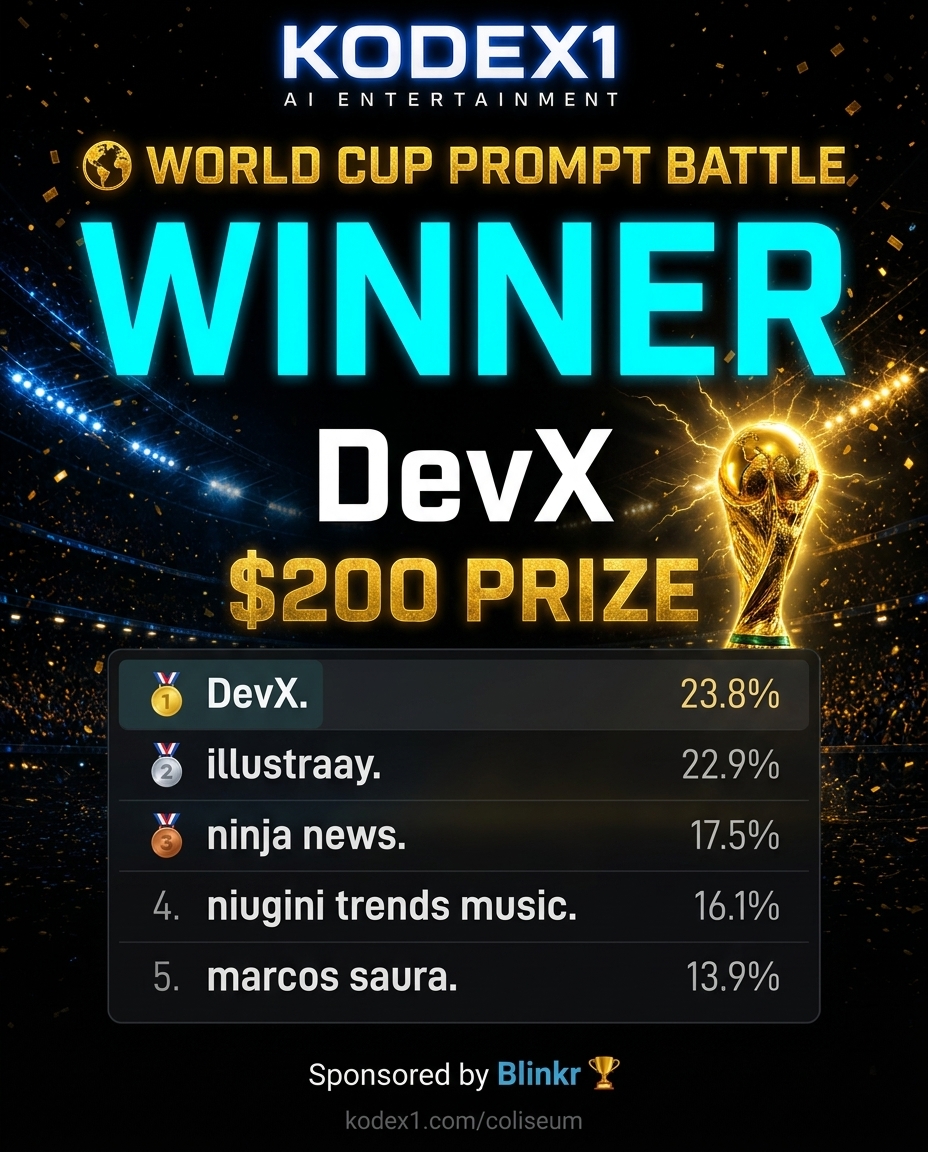
    The Kodex1 World Cup Prompt Battle is over. After 7 entries, 1,115 views, and 223 votes. DevX takes the $200 prize.

    It was one of the closest Coliseum finishes we've seen. DevX edged out illustraay by just 2 votes. 23.8% to 22.9%. Two votes. Out of 223 cast. That's the kind of finish that makes the next battle impossible to ignore.

    Sponsored by Blinkr. 🏆


    🌍 Final Leaderboard

    Place Director Votes Share Views
    🥇 DevX 53 23.8% 220
    🥈 illustraay 51 22.9% 96
    🥉 ninja news 39 17.5% 141
    4 niugini trends music 36 16.1% 180
    5 marcos saura 31 13.9% 182
    6 pablo quiroz 13 5.8% 79

    Total Views: 1,115
    Total Votes: 223
    Qualifying entries (45 seconds+): 7


    What Made This Battle Different

    The World Cup Prompt Battle was bigger than a standard Coliseum round in every way. A $200 prize. Our largest to date. A 45-second minimum entry length, pushing directors to build something with actual narrative weight. And a theme that brought football culture into the AI cinema arena.

    Seven directors rose to meet that bar. Every qualifying entry cleared 45 seconds, and the top four were separated by just 17 votes across the entire leaderboard. This wasn't a runaway. It was a proper fight.


    The Winning Margin

    DevX wins with 53 votes. illustraay had 51.

    Two votes separated first place from second. In a 223-vote battle, that's a margin of 0.9%. If three people who voted for illustraay had voted for DevX instead, the result flips.

    That's what makes the Coliseum worth watching. Not the result. The journey to it.


    Congratulations to All Seven Directors

    Every director who entered the World Cup cleared the 45-second threshold set by Blinkr and put real work into their submission. niugini trends music, marcos saura, pablo quiroz, and ninja news all earned their place on this leaderboard. The Coliseum respects the work, not just the win.


    What's Next

    The World Cup is over. The Coliseum never sleeps.

    The next battle is coming. If you're an AI director who wants in. Upload your work, build your Director Studio, and get ready. kodex1.com/coliseum

    Want your own Director Studio with a Hire button and permanent portfolio? kodex1.com/directors

  • Kling vs Sora: Which AI Video Generator Should Directors Use in 2026?

    Kling vs Sora: Which AI Video Generator Should Directors Use in 2026?

    Description

    A no-fluff breakdown of Kling 3.0 vs Sora 2 for AI directors in 2026 — covering physics, native audio, motion control, pricing, and which tool wins for cinematic storytelling.

    Kling vs Sora: Which AI Video Generator Should Directors Use in 2026?

    The Kling vs Sora debate is the most searched question in generative cinema right now — and for good reason. Both tools have rewritten what's possible in 2026. But they do it differently, and picking the wrong one for your workflow costs you time, money, and creative momentum.

    This is not a spec sheet recitation. This is a director's breakdown: what each tool actually does well, where each one breaks, and which one earns a permanent place in your pipeline.


    Table of Contents


    What Is Kling 3.0?

    Kling is a text-to-video and image-to-video model built by Kuaishou, the Chinese tech company behind one of the world's largest short-video platforms. Kling 3.0, released in early 2026, is the current flagship. It runs natively at 4K resolution, generates up to 15 seconds of footage per pass, and introduces an "AI Director" mode that chains up to six distinct shots in a single generation cycle — a genuine leap beyond single-clip outputs.

    Key Kling 3.0 specs (source: Kling.ai):

    • Max duration: 15 seconds per generation (3–15s flexible)
    • Resolution: Native 4K (true diffusion, not upscaled)
    • Frame rate: 30fps standard, up to 60fps
    • Audio: Native multi-lingual lip sync, sound effects, background ambience
    • Character locking: Elements 3.0 — uses video references for 3D identity consistency
    • Pricing: $6.99–$25.99/month subscription tiers

    What Is Sora 2?

    Sora 2 is OpenAI's second-generation video model, released in late 2025. It access through ChatGPT Plus and Pro plans. Sora 2's core identity is physics. The model treats video generation as a "Neural World Simulator" — simulating gravity, fluid dynamics, collision forces, and real-world interaction logic rather than just pattern-matching on training data.

    Key Sora 2 specs (source: AtlasCloud):

    • Max duration: Up to 25 seconds (Pro/storyboard mode)
    • Resolution: 1080p standard; 4K available at enterprise tier
    • Physics: Elite-level — simulates weight, gravity, fluid dynamics, complex collisions
    • Audio: Synchronized dialogue and soundscapes supported
    • Access: Credit-based via ChatGPT Plus (~$20+/month) or Pro
    • Best for: VFX work, action sequences, realistic film-style storytelling

    Kling vs Sora: Visual Quality and Physics

    This is where the tools diverge most sharply.

    Sora 2 owns physics. A basketball hitting a rim behaves correctly. Water splashes refract light the way actual water does. Interactions between objects hold up at high resolution without "hallucinating" momentum. For directors who need the real world to look real — action sequences, documentary-style clips, or anything grounded in physical reality — Sora 2 is still the benchmark.

    Kling 3.0 owns pixels. Its Multi-modal Visual Language (MVL) framework focuses on how things look rather than how they move. Micro-detailing on fabric, skin pores, individual hair strands, and environment-responsive lighting — all handled natively at 4K. Sora 2's standard output tops at 1080p and upscales to 4K, which can lose subtle detail in complex scenes. Kling generates 4K from the first pixel.

    The practical split: Fashion content, commercials, close-up character work, and fantasy or sci-fi visuals — Kling. Action sequences, sports, realistic environmental interactions — Sora 2.


    Motion Control and Temporal Consistency

    Both tools solve the "character drift" problem differently.

    Sora 2 uses what AtlasCloud calls "World State" memory — it treats the entire video as a single 4D data block, so a character who walks behind a tree emerges on the other side with identical lighting, clothing, and positioning. This is "set it and forget it" consistency. You describe the scene in natural language ("slow dolly-in transitioning to a low-angle Dutch tilt") and Sora interprets the physics.

    Kling 3.0 takes a more granular approach: Elements 3.0 lets you upload up to seven reference images or video clips to lock a character's gait, face, clothing, and voice. The model builds a 3D replica from that reference and holds it across multiple shots. You also get explicit camera controls — shot size (macro, close-up, wide), movement speed, horizontal/vertical panning, and zoom rate. Kling's 60fps native generation handles fast motion without ghosting, where Sora 2 runs at 30/60fps with excellent flicker correction after its late 2025 update.

    For AI directors who want to direct: Kling's structured toolset — storyboarding, AI Director multi-shot, camera parameter controls — matches how filmmakers actually think. Sora 2's natural language approach is powerful but requires precise prompt engineering to get camera behavior right.


    Native Audio: Where Kling Pulls Ahead

    This is the clearest gap between the two tools in 2026.

    Sora 2 supports synchronized dialogue and soundscapes — an improvement over silent clip generators, but audio is not Sora's lead feature.

    Kling VIDEO 3.0 Omni integrates audio natively into the generation process. The model generates background ambience and sound effects simultaneously with the visual output, semantically matched to the action on screen. Multilingual lip sync covers five languages including English and Chinese, with dialect support. Directors can upload a voice recording to bind a specific vocal tone to a character across scenes. The result: Kling generates a performance — synchronized voice, facial movement, and ambience — in a single pass.

    For anyone building AI short films or episodic content where audio-visual sync matters, Kling's audio integration removes an entire post-production step.


    Pricing and Accessibility

    Kling 3.0: $6.99/month at the entry tier, up to $25.99/month for premium access. Available globally, no hardware requirements, browser-based. The lower price point makes serious cinematic output accessible without a $200/month ChatGPT Pro subscription.

    Sora 2: Requires ChatGPT Plus ($20+/month) at minimum, with advanced features gated behind ChatGPT Pro. Access has improved but credit usage for complex generations still adds up quickly.

    Bottom line on cost: Kling delivers professional-grade output at a price that doesn't punish high-volume generation. Sora 2 is worth the cost if physics realism is non-negotiable for your work.


    Which Is Better for AI Short Films?

    Does Kling or Sora produce better cinematic storytelling?

    Kling 3.0. The AI Director multi-shot feature — up to six distinct shots chained in a single generation, with automatic cinematic transitions — directly solves the main problem with AI filmmaking: the fragmented clip problem. Most tools require directors to generate dozens of isolated clips and stitch them manually. Kling generates a scene, not just footage.

    Can you use Sora 2 for film competition entries?

    Yes — Sora 2's physics quality stands out in competitions judged on realism. Entries combining Sora 2's environmental physics with Kling's character consistency have performed well in festivals. The best AI directors use both tools, routing each scene to whichever model handles it better.

    Which tool is easier for beginners?

    Kling. Lower cost, more explicit controls, and structured storyboarding lower the barrier to entry. Sora 2's natural language prompting rewards experienced directors who understand cinema language but can frustrate beginners who expect predictable camera behavior.


    Where Do You Publish the Work?

    Generating the clip is step one. Where it lives long-term matters just as much.

    X feeds and Discord threads bury your best work in 24 hours. The directors winning Kodex1's Coliseum battles and building reputations right now aren't just generating great content — they're putting it somewhere permanent. Kodex1 is built specifically for AI directors: a portfolio platform, a competition arena, and a hire-able director channel, all in one place. Directors using Kling, Sora, Runway, and Veo are already competing there — and the ones who locked their spots early earned OG Director badges that don't expire.

    If you want your Kling or Sora output to build a body of work rather than vanish into a feed, set up your Director profile and start stacking it.


    Verdict: The Right Tool for the Right Director

    Neither Kling 3.0 nor Sora 2 is universally "better." They solve different problems.

    Need Pick
    Realistic physics and fluid dynamics Sora 2
    Native 4K from the first pixel Kling 3.0
    Native audio + multilingual lip sync Kling 3.0
    Long-duration complex scenes (20+ sec) Sora 2
    Multi-shot cinematic storytelling Kling 3.0
    Budget-conscious high-volume generation Kling 3.0
    VFX and action sequences Sora 2
    Character locking across scenes Kling 3.0

    The directors building real careers in generative cinema in 2026 don't pick a side — they build a workflow. Kling handles the character-driven, audio-synced, high-resolution scenes. Sora 2 handles the physics-heavy, environmental, action-driven sequences. Route the prompt to the right model, then publish the work somewhere that actually lets it compound.

    That's the job. Now go make something.


    Ready to put your Kling and Sora work in front of an audience that gets it? Post your AI films at kodex1.com — the permanent home for generative cinema directors. Enter the Coliseum, build your portfolio, and start earning from your craft.